Build your own AdCP buyer-agent

AdCP, the Ad Context Protocol, is a shared language for buying and selling ads, carried over MCP. It replaces the old way, where buying and selling leaned on people (interfaces, insertion orders, manual trafficking, creative approvals over email) and every platform spoke its own dialect, so most of the effort went into translation, not the deal. Implement it once and any AdCP agent can transact with you.
It matters now because the buyer is increasingly an AI agent, not a person. AdCP standardizes the API a seller exposes: browse products, book them, attach creatives, read delivery. It says what a seller must accept, not how your agent has to be built, so the buyer side is wide open and you can write a buyer-agent any way you like.
We built a seller-agent first, integrated with our own site, so there would be something real to buy from. This post is the buyer side: how to build your own buyer-agent, one that books campaigns on its own, and how to test it for free against our live seller-agent.
What a buyer-agent does
A buyer-agent connects to a seller-agent and runs the whole deal in one conversation: it browses what is for sale, books it, attaches a creative, and reads back delivery. Each call lands as a real object in the seller's ad server. There is no human on either side: your buyer-agent stands in for the media buyer, the seller-agent for the sales and ad-ops team.
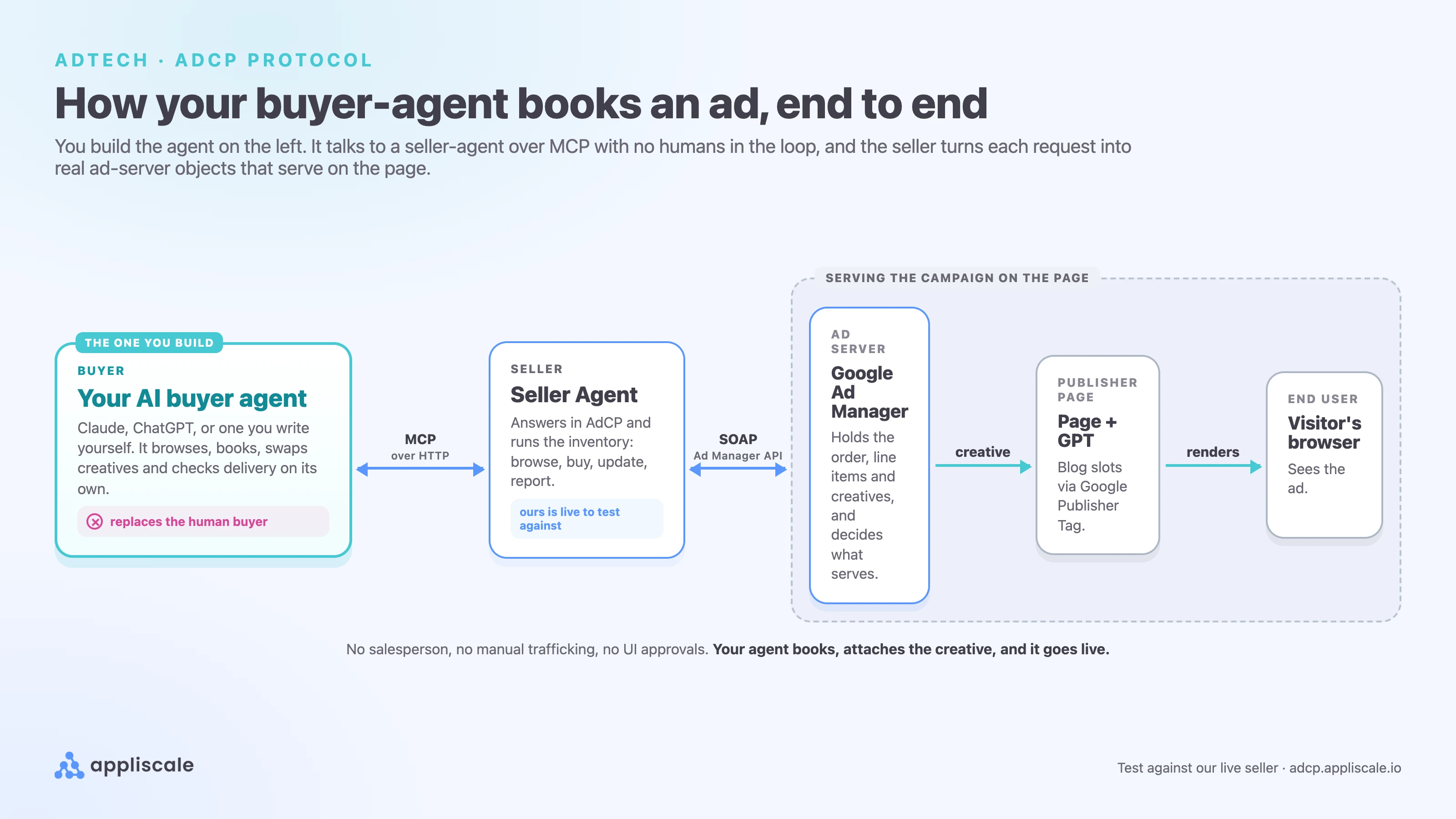
Under the hood it is one loop of four calls. Your agent makes them; the seller turns each into an ad-server object:
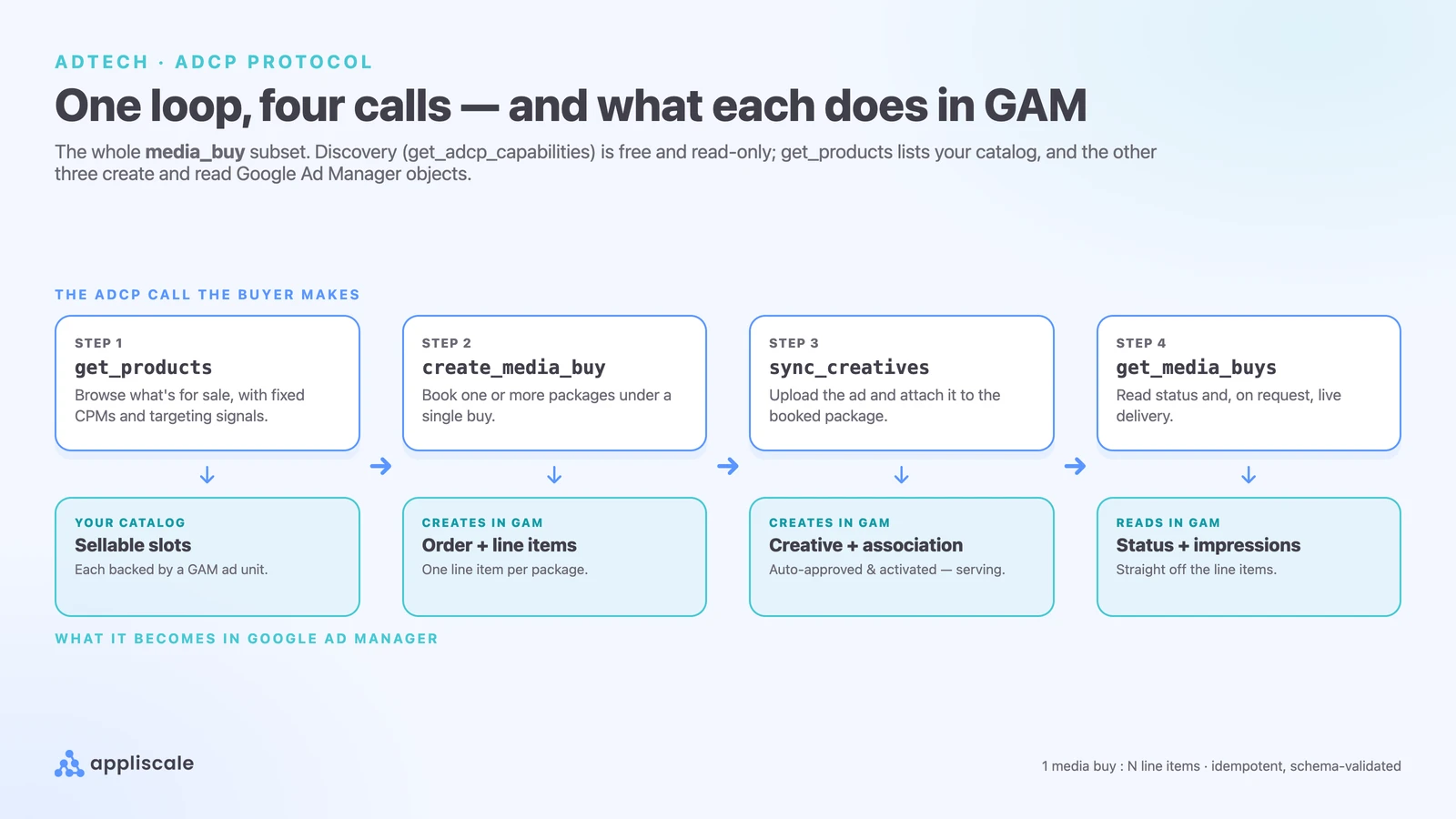
get_productsbrowses what is for sale, at fixed prices.create_media_buybooks one or more packages under a single buy.sync_creativesattaches your creative to the booked package.get_media_buysreads status and, on request, live impressions and spend.
A fifth call, update_media_buy, handles changes once a campaign is live: pause or extend a flight, swap or remove a creative. Your buyer-agent is simply whatever drives these calls, in the right order, with valid inputs.
Getting them right is where the work is. The agent has to match each creative to the slot's format, send inputs in exactly the shape the seller expects, and read delivery back so it can react while the campaign runs. Get a call wrong and the seller rejects it; get it right and the whole deal goes through with no human in the loop.
Why build your own?
Because the buyer side is unspecified, you are not locked into anyone's stack. One agent that speaks AdCP can transact with every compliant seller, so you go from brief to booked media in minutes. Because it is code you own, you wire in your own targeting, budget rules and pacing rather than accept a platform's defaults. It is where agentic advertising is heading, and AdCP is the standard making it real.
Build your own buyer agent
You do not have to start from scratch. The AdCP project ships its own Claude Code plugin. Add it once:
/plugin marketplace add adcontextprotocol/adcp-client
/plugin install adcp-client@adcp
That adds a set of skills to Claude Code: build-*-agent skills for the seller side, and a buyer-side skill, call-adcp-agent, that carries the wire contract for calling a seller correctly (the account oneOf, budget as a plain number, async polling). Then just ask, in plain English:

It writes and runs the whole buyer in one pass, calling @adcp/sdk against real inventory:
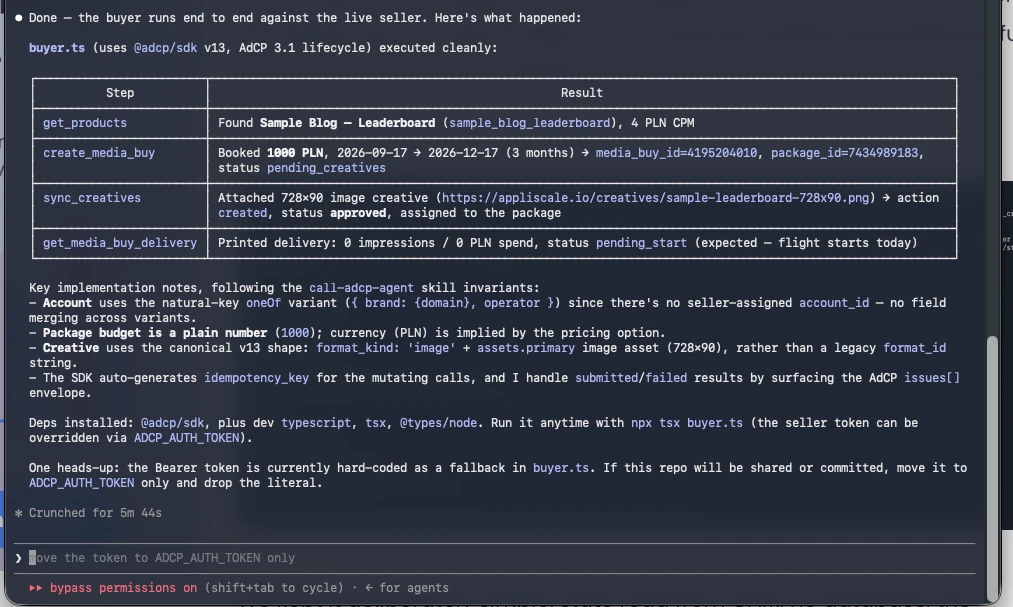
Test it against our live seller
Point your own agent at ours and buy from us. It is free to test, and any MCP client works, with no code of your own. Register once, then connect and buy:
Here are three of the easiest, all on the same endpoint with the same key:
Hermes, a ready-made agent
A ready-made agent like Hermes (Nous Research) connects through its own config: point it at our MCP endpoint, on whatever model you like. Browsing is open, so it works keyless; add your key when you want to book.
mcp_servers:
  appliscale:
    url: "https://adcp.appliscale.io/mcp"
    headers:
      Authorization: "Bearer YOUR_KEY"
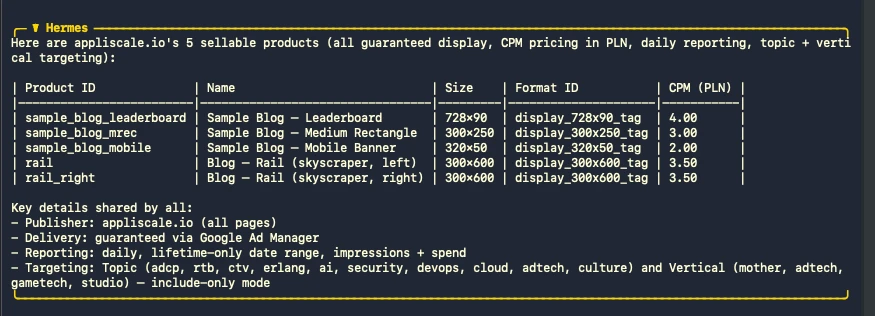
Run hermes chat, ask it in plain English to browse our products, and it discovers the tools and calls them on its own. Here it is doing exactly that, on a free model:
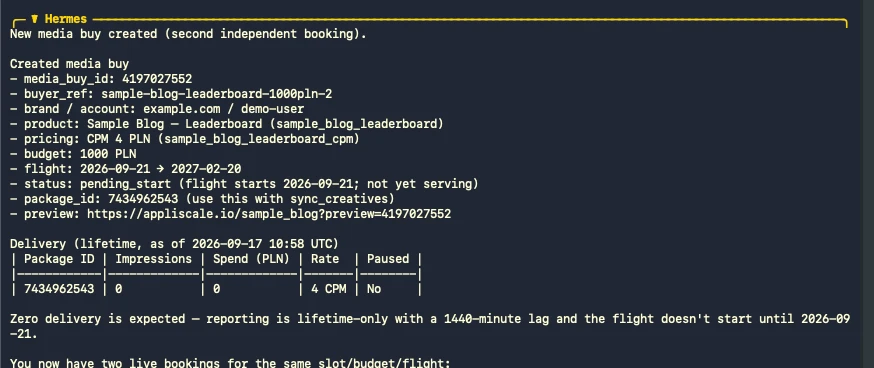
With a key in the header, it books too. Give it a one-line request and it creates the media buy on our Google Ad Manager, then reads delivery back:

Claude Code
You do not have to write an agent at all. Add our endpoint to Claude Code and ask in plain English, and it discovers the tools and drives the seller for you. Add it as an MCP server in one command:
claude mcp add appliscale-seller-agent https://adcp.appliscale.io/mcp \
  --transport http --scope user \
  --header "Authorization: Bearer YOUR_KEY"
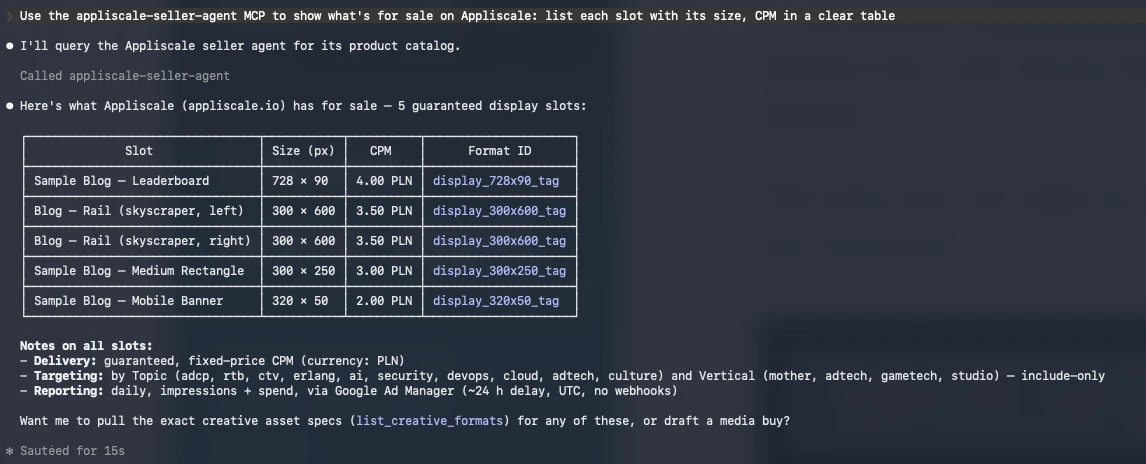
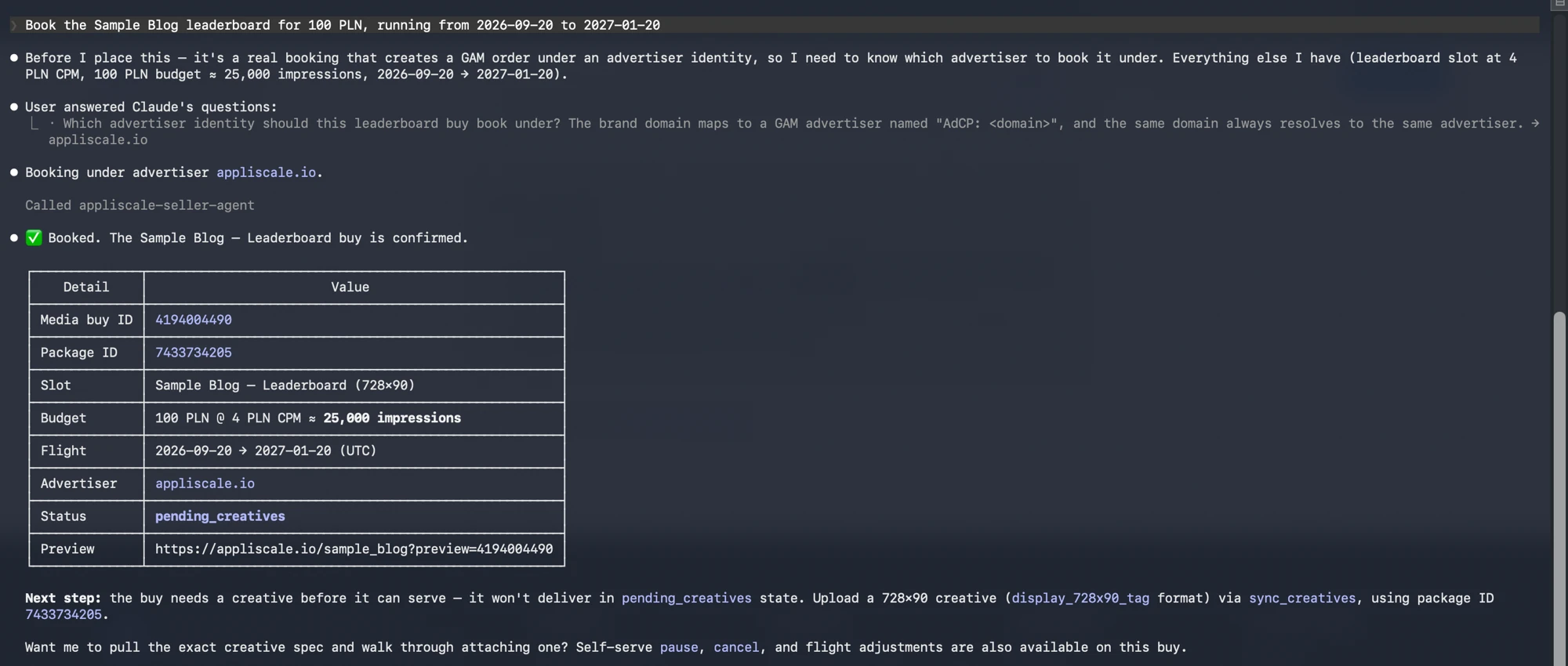
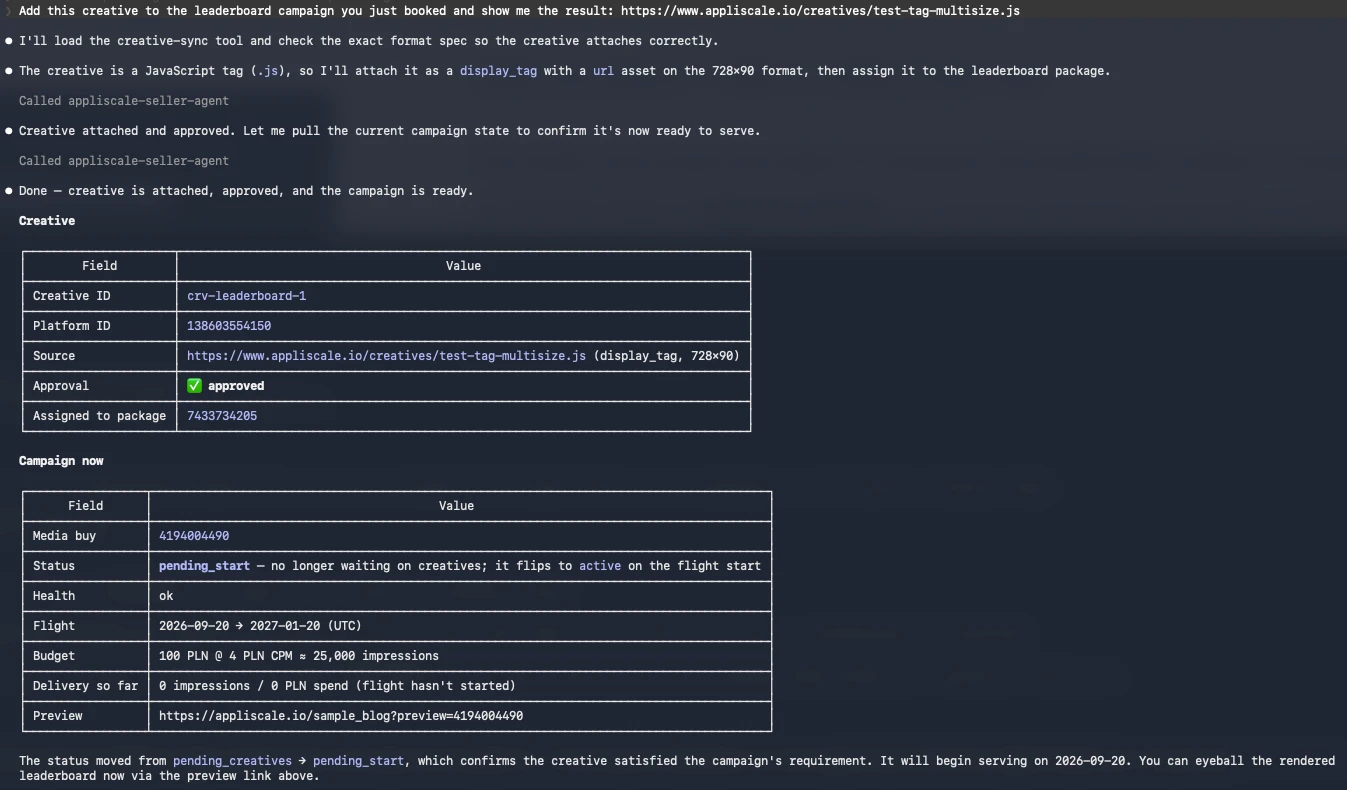
Then ask it to browse our products, book one, attach a creative and check delivery. It finds the tools and calls them itself, against real Google Ad Manager. Here is that loop, one call at a time:
ChatGPT
The same works with OpenAI's models: a small buyer on the OpenAI API, pointed at our MCP endpoint with the same key and the same tools, drives the seller too. A different vendor, the same protocol.
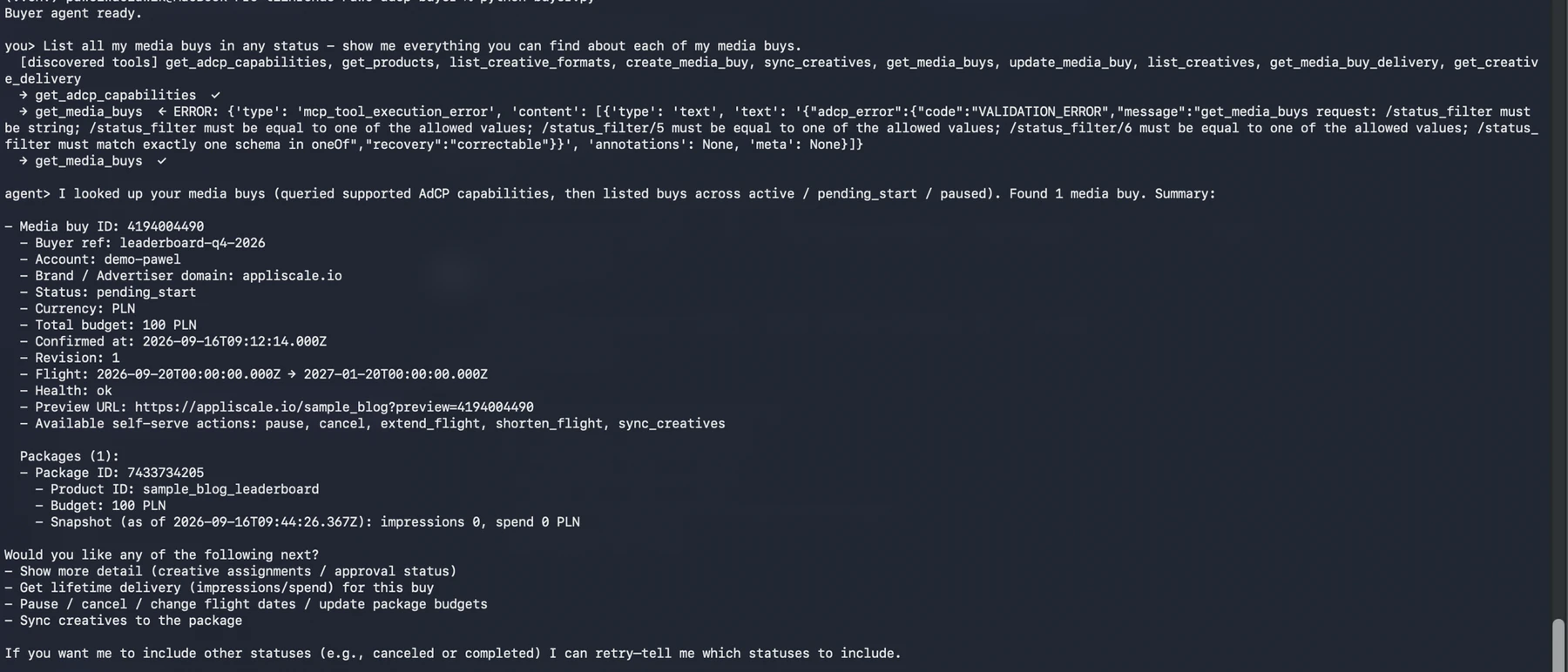
Discovery is open, so you can browse get_products before you even have a key. That is the whole point of building the seller: point your buyer-agent at ours and watch it serve.